Since releasing MIDAS v4 last month, many of our customers have already updated their installation to this major new release of our web based room scheduling system.
If you’re an existing customer with a current Support Subscription, you too can update right now. You can do this from within the software via MIDAS Admin Options → Manage MIDAS → Update.
As well as regularly updating our blog in recent months outlining new features in v4, We’ve also been updating our Knowledge Base with new articles relating to the new version. We thought we’d take this opportunity to compile a list of common questions we’ve been asked about MIDAS v4. So what follows is a sort of “mini F.A.Q.” if you will!
if you’ve got questions about updating, or about some of the changes/new features in v4, you may find the following articles helpful:
Updating to MIDAS v4:
- Is my server ready for v4?
- MIDAS v4 – Why the database change?
- How do I update from MIDAS v3 to v4?
- When attempting to update to v4, I’m told there are duplicate entries whilst migrating users
- After updating, the layout appears wrong/some visual elements are missing
Using MIDAS v4:
- I used to log in with a username – Why do I now have to log in with an email address?
- Where’s the organization field gone in version 4?
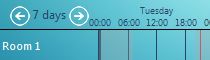
- I can’t seem to access the multi-day view feature?
- My pending bookings screen’s empty, and I don’t get request notifications?
- Why is the “Auto send user their login details” option disabled?
We’ll keep this post updated each time we add new Knowledge Base articles that relate to MIDAS v4. If your question though isn’t answered here, please feel free to contact us.