Latest Entries »

Is your server ready for MIDAS v4?

MySQLThis Summer we have a major update coming to our web based room scheduling software. Starting with version 4, MIDAS will use a MySQL database for storage. Earlier releases of MIDAS have used different database architectures (which we’ll look at in more depth in an upcoming blog post) and as such MySQL has not previously been a System Requirement for a server running MIDAS.

If you wish to run MIDAS v4 on your own web server, MySQL 5.1 (or later) is required.

In addition, two Perl modules not previously required for MIDAS will be required for v4. These modules, “DBI” and “DBD::mysql”, may already be present in your Perl installation, but if they’re not, they may be freely obtained from the following links:

  • DBI – Database independent interface for Perl (Get it here)
  • DBD::MySQL – A MySQL driver for the Perl5 Database Interface (Get it here)

If you’re unsure whether these Perl modules are already available on your server, our updated Server Readiness Tool will tell you!

If you’re currently running MIDAS v3 on your own server and are unable to use MySQL, you can carry on using version 3, (however this will continue to receive critical fixes only), or alternatively have your MIDAS v4 “remotely hosted” at http://mid.as/your_organization instead

If we already “Remotely Host” MIDAS for you, you don’t need to do anything to be ready for MIDAS v4! – Our servers are already prepared for MIDAS v4!

MIDAS v4 isn’t yet available, but is coming soon! So in the meantime…

  • Keep checking back here for all the latest v4 news
  • Be among the first to try this exciting new version by joining our Beta Program
  • Interested in translating MIDAS into another language? Get in touch
  • Join our mailing list to be notified once v4 becomes available

Google Chrome 19 Released!

Google Chrome 19
The Google Chrome team have today announced the release of Chrome 19 for Windows, Mac and Linux operating systems.

As part of our ongoing commitment to MIDAS, the latest version of our scheduling software is also fully compatible with this new release of Google Chrome!

If you’re an existing Google Chrome user, you don’t need to do anything – one of the great things about Chrome (which other browser’s are now starting to implement too!) is that it silently updates itself with no user interaction (other than a restart!) required. This ensures that you’re always using the most stable, secure and up-to-date version of Google Chrome!

We also test our web app in pre-release builds “developer” builds of Google Chrome! Testing in these builds (which right now are for Chrome 20!) helps us to identify as early as possible any potential incompatibilities, so you can be sure that whenever a new version of Chrome (or any of the 5 major browsers) is released, MIDAS will compatible from the get-go!

In other Chrome-related news, rumors are currently brewing that a version of Chrome is in the works for iOS – that means in you have an iPhone or an iPad, you may soon be able to use Google Chrome on your device!

Business Insider reports that Chrome could be released for iOS devices as soon as the end of June but definitely sometime by the end of 2012. As yet, neither Apple nor Google have confirmed this report.

However, if the reports are true, this will undoubtedly be welcome news for iOS users, who so far have had little choice but to use the default browser on their iOS devices – Apple’s own “Safari” browser. Giving users the option to use a different browser is a big step forward – but so far it’s unknown if Apple will allow a iOS version of Chrome to actually be set as a “default” browser for the iPad/iPhone.

…and whilst we’re still on the subject of touch-enabled devices, such as the iPad, read about our upcoming improvements to support for touch screens

MIDAS v4: A Fresh New Look

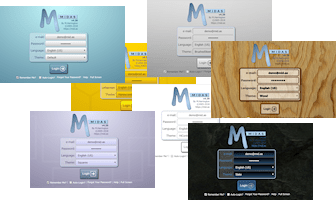
If you’ve been following our recent blog posts, you’ll know we have an exciting update coming to MIDAS! You may also have noticed from early screenshots we’ve already posted from this update that the default visual “theme” has also gone through some changes…..

The previous “Default” theme: (MIDAS v3)
MIDAS v3 Default Theme

The new “Default” theme: (MIDAS v4)
MIDAS v4 Default Theme

The new “Metro” inspired default theme that will ship with MIDAS v4 will feature slightly larger icons than previous themes – the reasons behind this are two-fold;

1) Larger Screen Resolutions
Firstly, screen resolutions are generally getting larger – for many years the most common screen resolution was 1024 x 768 pixels. A recent study found that currently the most common screen resolution in use is 1366 x 768. As people choose screens with higher and higher resolutions, graphical items appear comparatively “smaller” on screen.

2) Touch Screens
Secondly, touch screen devices (such as tablets and iPads) are now common place, and with the eagerly anticipated release of Microsoft’s Windows 8 operating system later this year (which is very much geared towards touch screen devices), we expect the number of touch-enabled devices to increase dramatically.
If you’re familiar with touch screen devices, you’ll know it can sometimes be frustrating trying to accurately “tap” a very small target area on screen.
Microsoft have conducted extensive research on fingers and touch screens. They discovered that the average width of a human finger is 11mm. As targets for tapping get larger, the percentage of accidental missed taps drops off quickly. Therefore, ideally, a tap target should be at least 11mm (about 40px) in size.

MIDAS v3 Icon MIDAS v4 Icon
“Add Bookings” icon (MIDAS v3)
30 x 30 pixels
“Add Bookings” icon (MIDAS v4)
40 x 40 pixels

In the previous “default” theme for MIDAS, the main toolbar icons were 30 x 30 pixels in size. In the new “default” theme, toolbar icons are now 40 x 40 pixels in size.

Notifications have also been made more prominent on toolbar icons for MIDAS v4:
MIDAS v4 Toolbar Notifications

MIDAS v3 Buttons MIDAS v4 Buttons
Buttons in MIDAS v3 Buttons in MIDAS v4

We’ve also increased the size of other buttons and some text elements – all in an effort to make MIDAS more accessible to tablet, iPad, and other touch screen users, and those using higher resolution screens!

We hope you’ll like the new look for MIDAS v4, but if you don’t, no problem! – There will be a version of the previous MIDAS v3 default theme available for v4 as well!

MIDAS v4 isn’t yet available, but is coming soon! So in the meantime…

  • Keep checking back here for all the latest v4 news
  • Be among the first to try this exciting new version by joining our Beta Program
  • Interested in translating MIDAS into another language? Get in touch
  • Join our mailing list to be notified once v4 becomes available

History tab of Booking Information PanelWe’re making improvements to the “Booking Information” panel for MIDAS v4 with the addition of a new “History” tab. Prior to v4, the only two pieces of history information saved for each booking was the original creation date/time and the user who created the booking, and the date, time and user who last modified the booking.

The new history tab improves on this, as it will display a complete history for each new booking. Every update that is made to a booking will be logged logged, together with the user, date and time the update was made.

The history panel will also log details if a booking is deleted, an invoice is generated for a booking, or whether the booking resulted from a booking request!

MIDAS v4 isn’t yet available, but is coming soon! So in the meantime…

  • Keep checking back here for all the latest v4 news
  • Be among the first to try this exciting new version by joining our Beta Program
  • Interested in translating MIDAS into another language? Get in touch
  • Join our mailing list to be notified once v4 becomes available

In MIDAS v4 we’re making the process of moving/rescheduling bookings incredibly simple!!

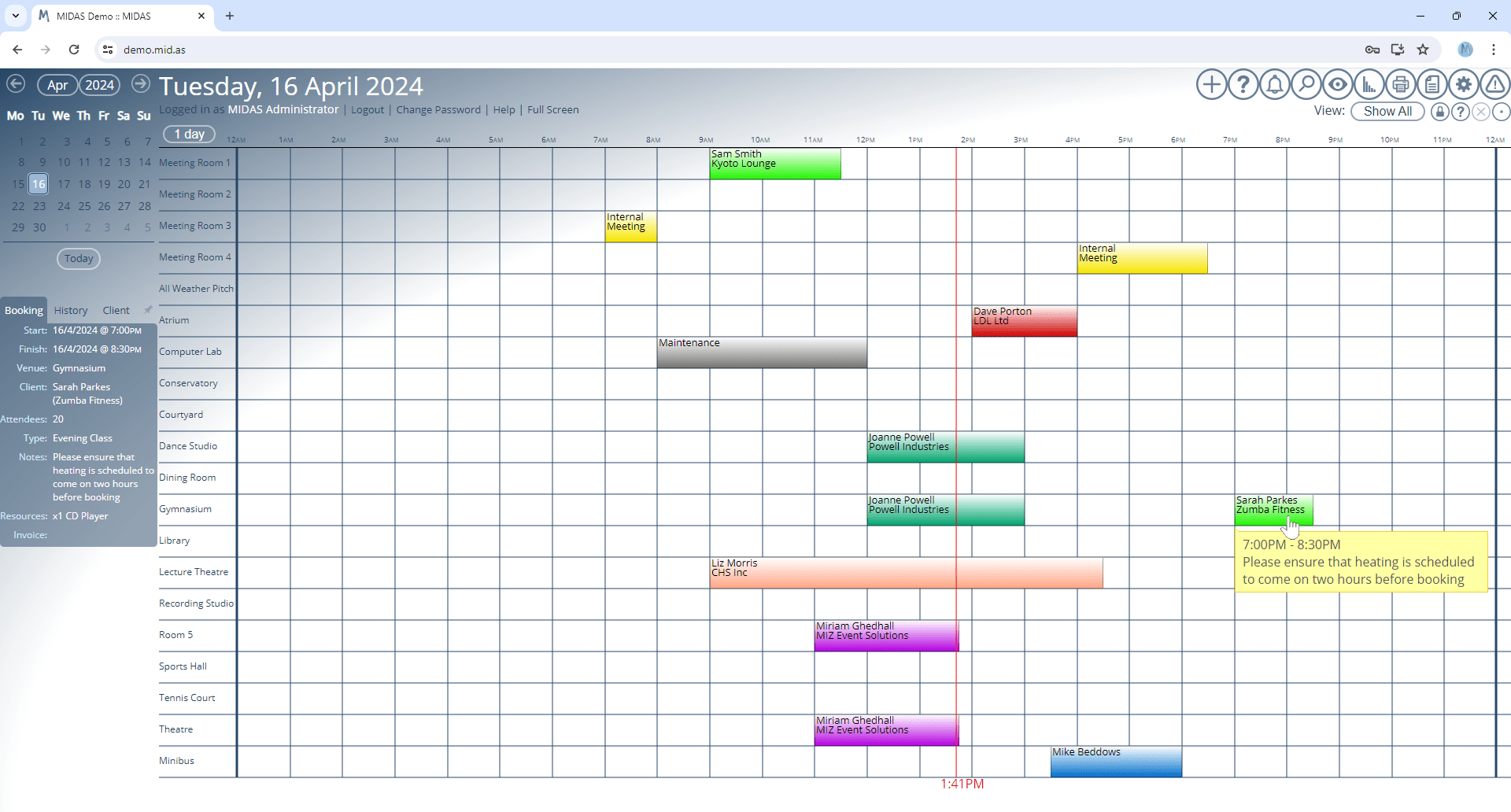
Until now, if you needed to move a booking to a different venue, or perhaps postpone it until the following week, you’d have to click on the booking in the grid, select “Modify Booking”, then manually change the venue/dates/times on the “Modify Booking Form”. After that you’re have to proceed through the “Booking Availability” check before the booking is finally rescheduled – all in all requiring half a dozen or more mouse clicks and at least a couple of minutes as you went through the various steps.

In MIDAS v4 you can reschedule bookings in seconds…
…simply “drag and drop” the existing booking to a new venue/time slot!

Drag and Drop Bookings to Reschedule

Display pending/provisional and deleted bookings in the grid!
Moving bookings is not all you can do from the improved booking grid in v4! You can now also show pending booking requests as well as recently deleted bookings in the booking grid too!

Pending booking requests can then be approved/queried/modified/rejected/locked direct from the booking grid with just a click:
Approve Provisional Booking Requests from the Grid

..and deleted bookings can be restored in the same way too:
Recover Deleted Bookings

Generate Invoices directly from the grid!
Generate Invoice
Don’t want to generate a invoice when making a booking? No problem! In MIDAS v4 you can click a booking in the grid and instantly generate an invoice for that booking!

These exciting new improvements to the booking grid in MIDAS v4 will undoubtedly improve your productivity by streamlining the process of rescheduling bookings, approving requests, and recovering erroneously deleted bookings!

MIDAS v4 isn’t yet available, but is coming soon! So in the meantime…

  • Keep checking back here for all the latest v4 news
  • Be among the first to try this exciting new version by joining our Beta Program
  • Interested in translating MIDAS into another language? Get in touch
  • Join our mailing list to be notified once v4 becomes available